
Your next class. One tap closer.
While we prepare the dedicated ZINFIT app, use the Rezerv member app to access ZINFIT, book classes and manage your packages.
Existing members: use the same email registered in Glofox.
Four steps. You’re in.
Download Rezerv, log in with your existing email, follow ZINFIT, and choose your next class. You only need to add the business once.
Download Rezerv
Install the shared Rezerv app from the App Store or Google Play.
Log in
Use your Glofox-registered email. Reset your password if needed.
Add ZINFIT
Search for ZINFIT Indonesia and tap Add This Business.
Book a class
Choose a class, check your eligible credits or Unlimited plan and confirm.
First time? Add ZINFIT Indonesia.
This is the only extra setup compared with the upcoming ZINFIT branded app. You only need to do it once.
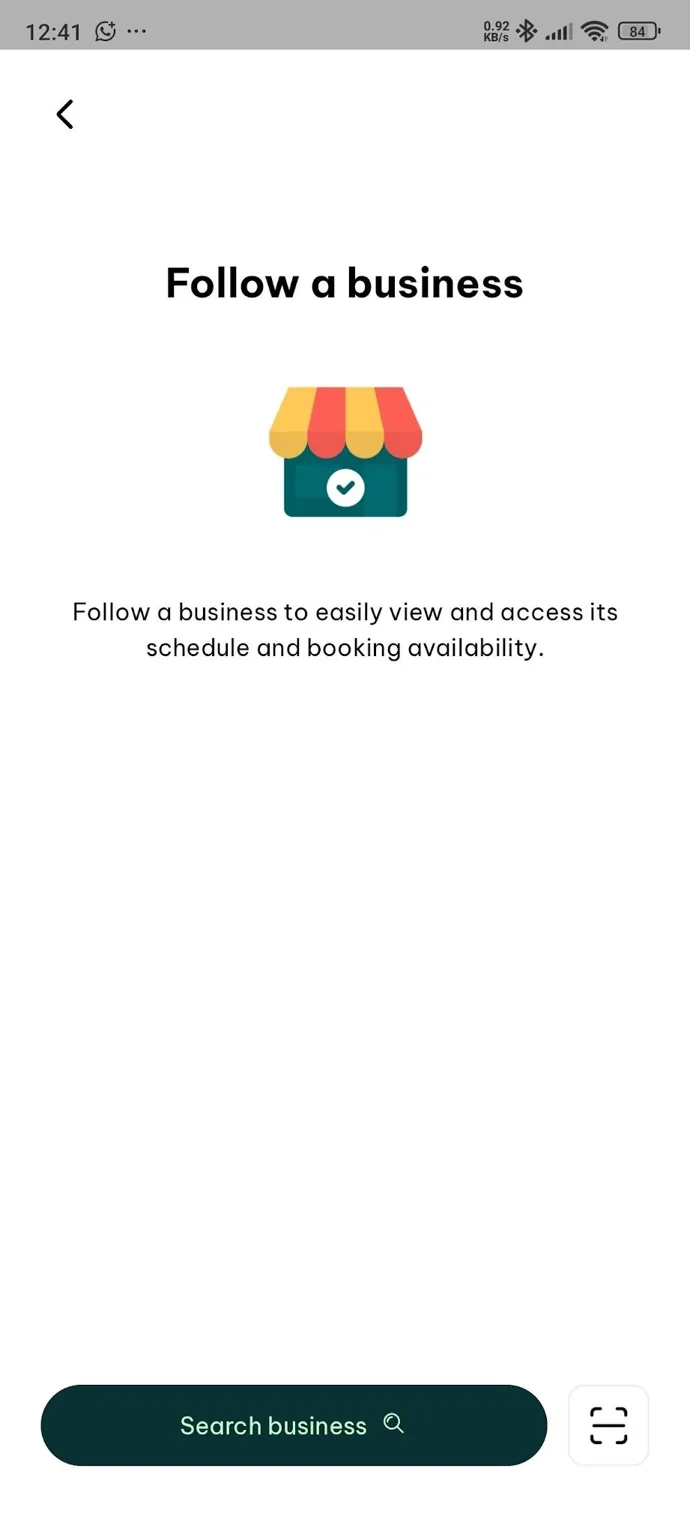
Find a business
Open the Follow a business screen in Rezerv.
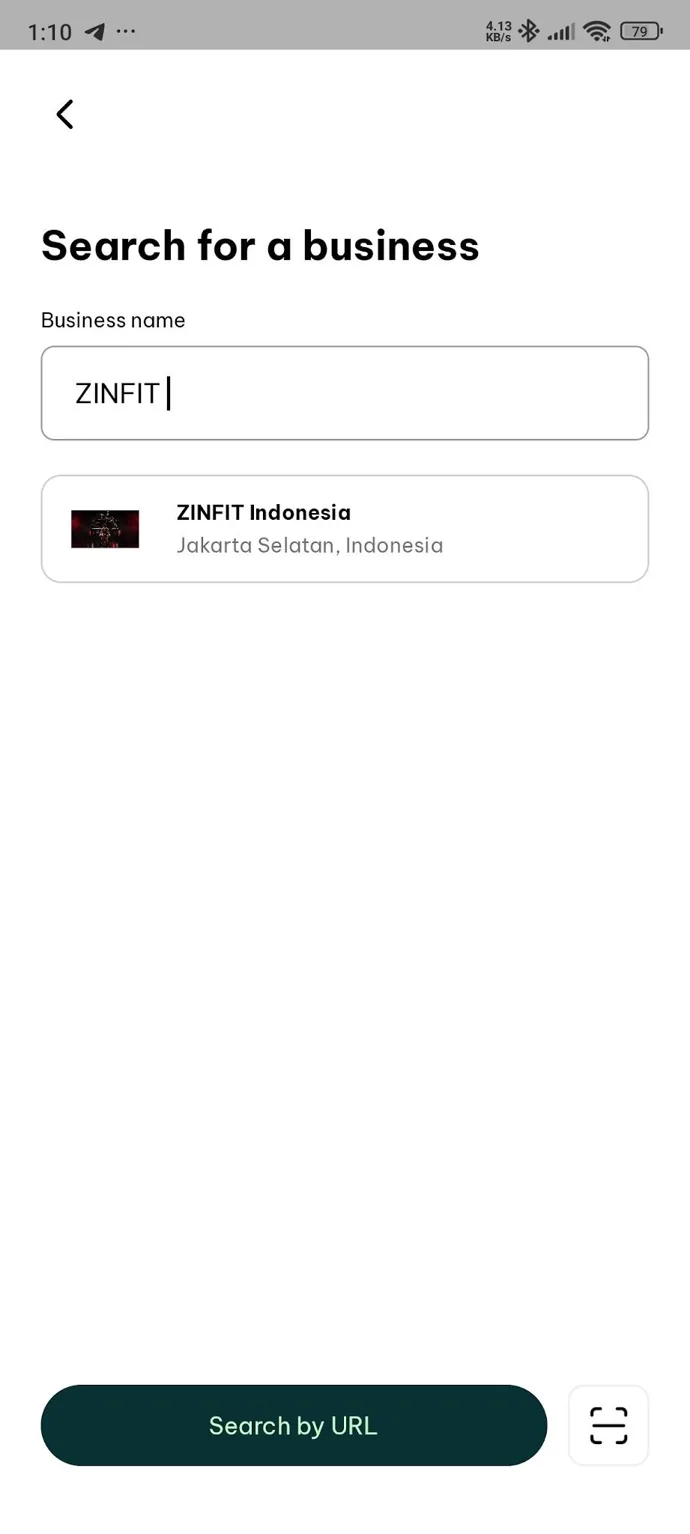
Search “ZINFIT”
Use the search bar to find ZINFIT Indonesia.
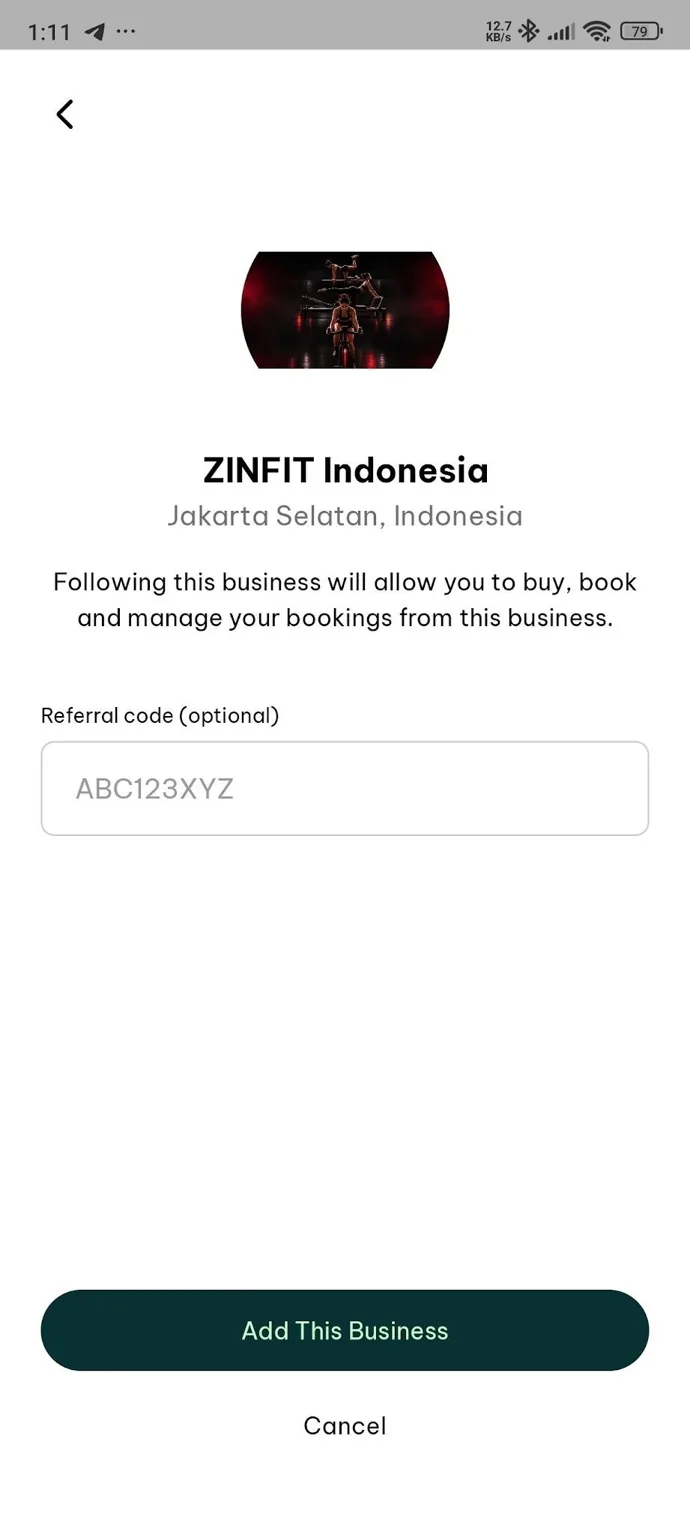
Select ZINFIT Indonesia
Check the business name, then tap Add This Business.
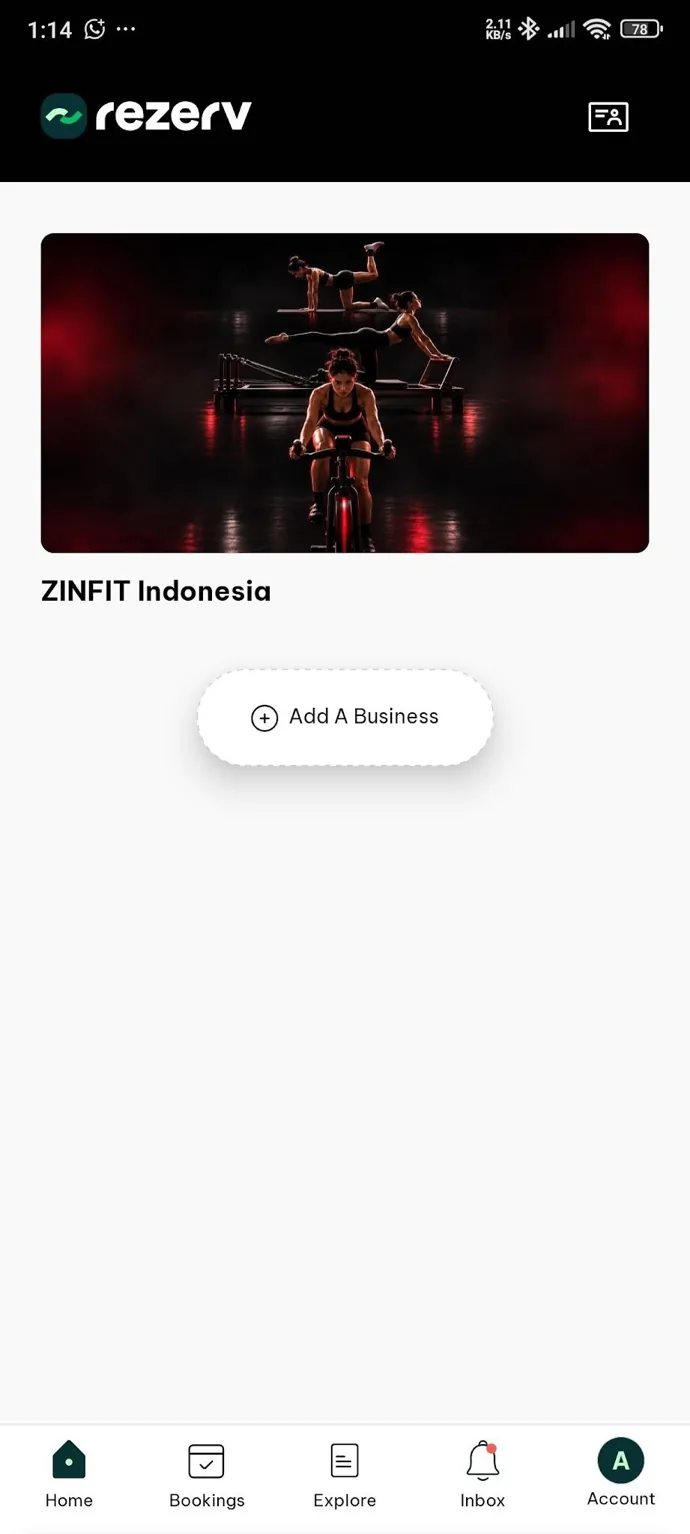
Ready to book!
ZINFIT now appears in your followed businesses and class schedule.
Same email. Same ZINFIT journey.
Migrated members will receive access instructions at their registered email. Avoid creating a separate account using a different email address.
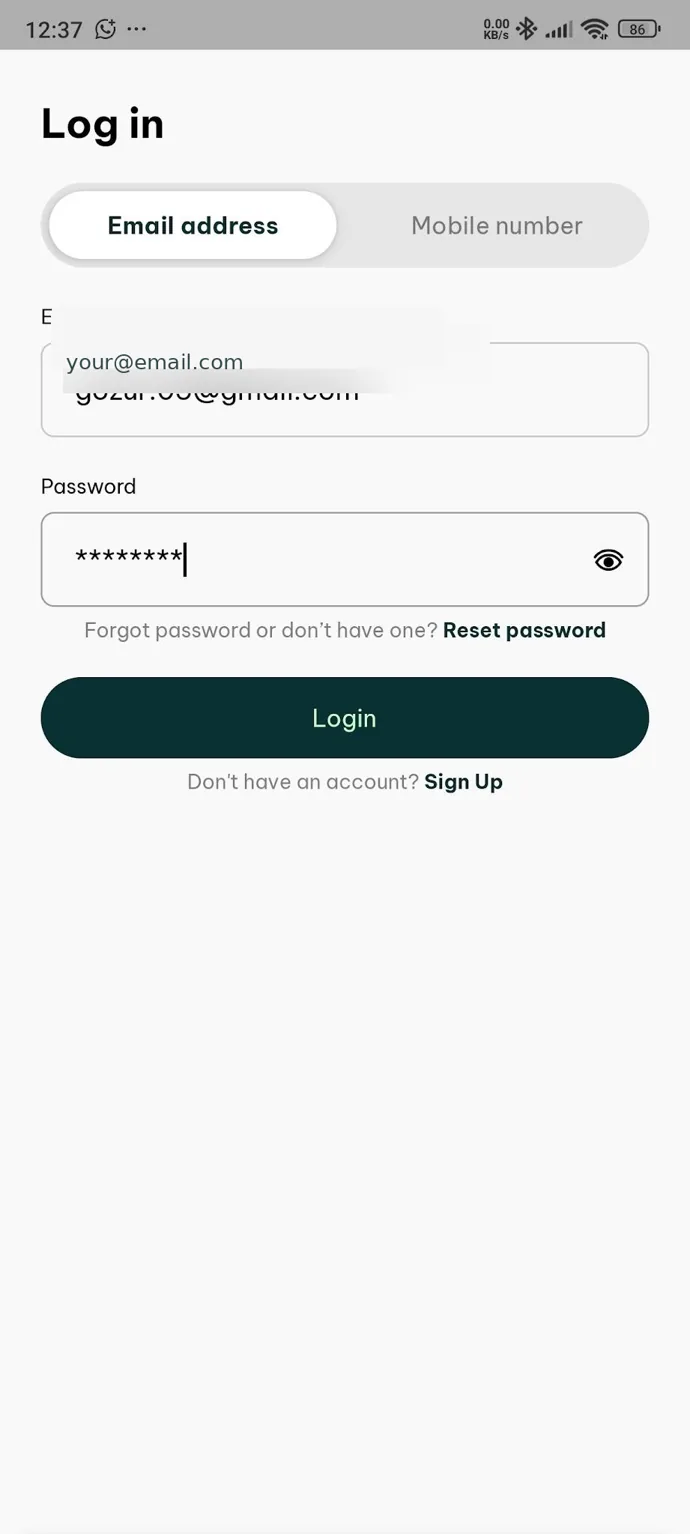
Log in with email
Enter the email you used in Glofox.
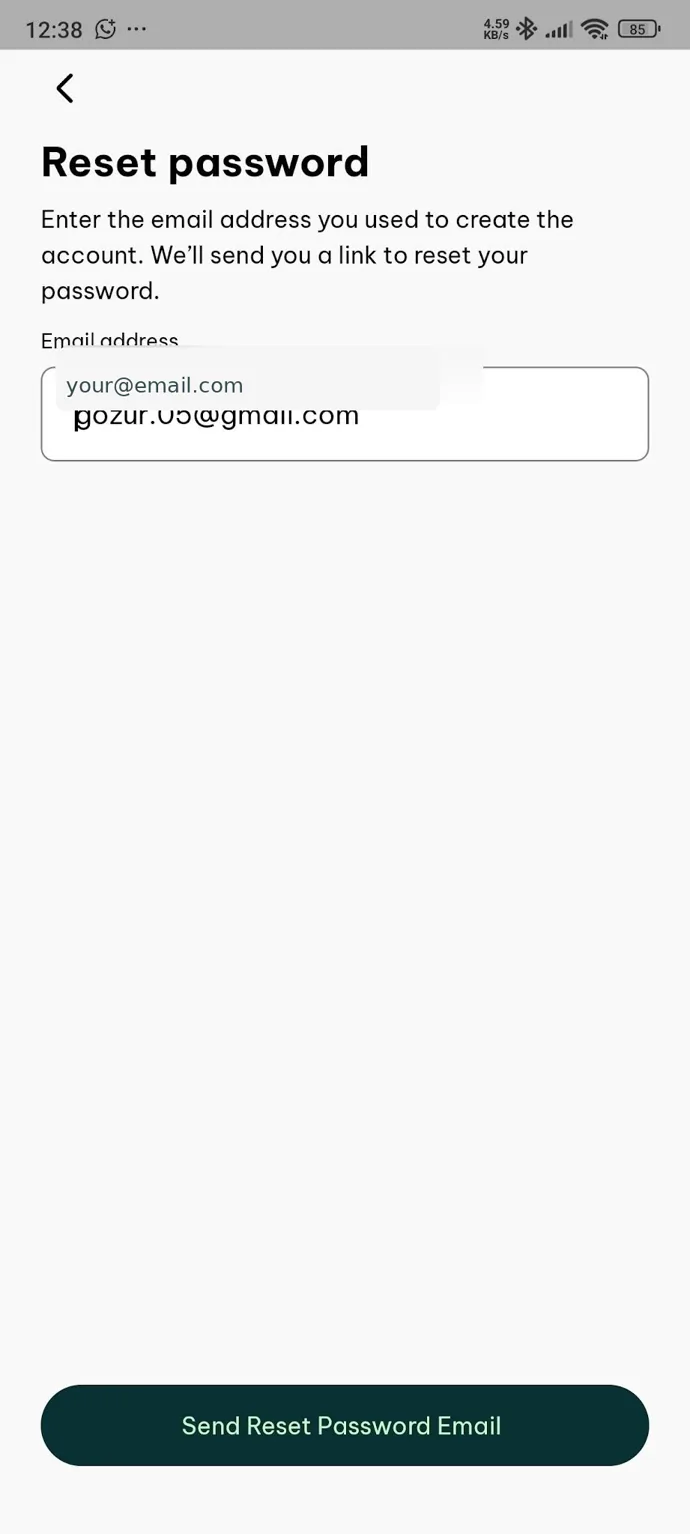
Forgot your password?
Tap Reset password and check your inbox or spam folder.
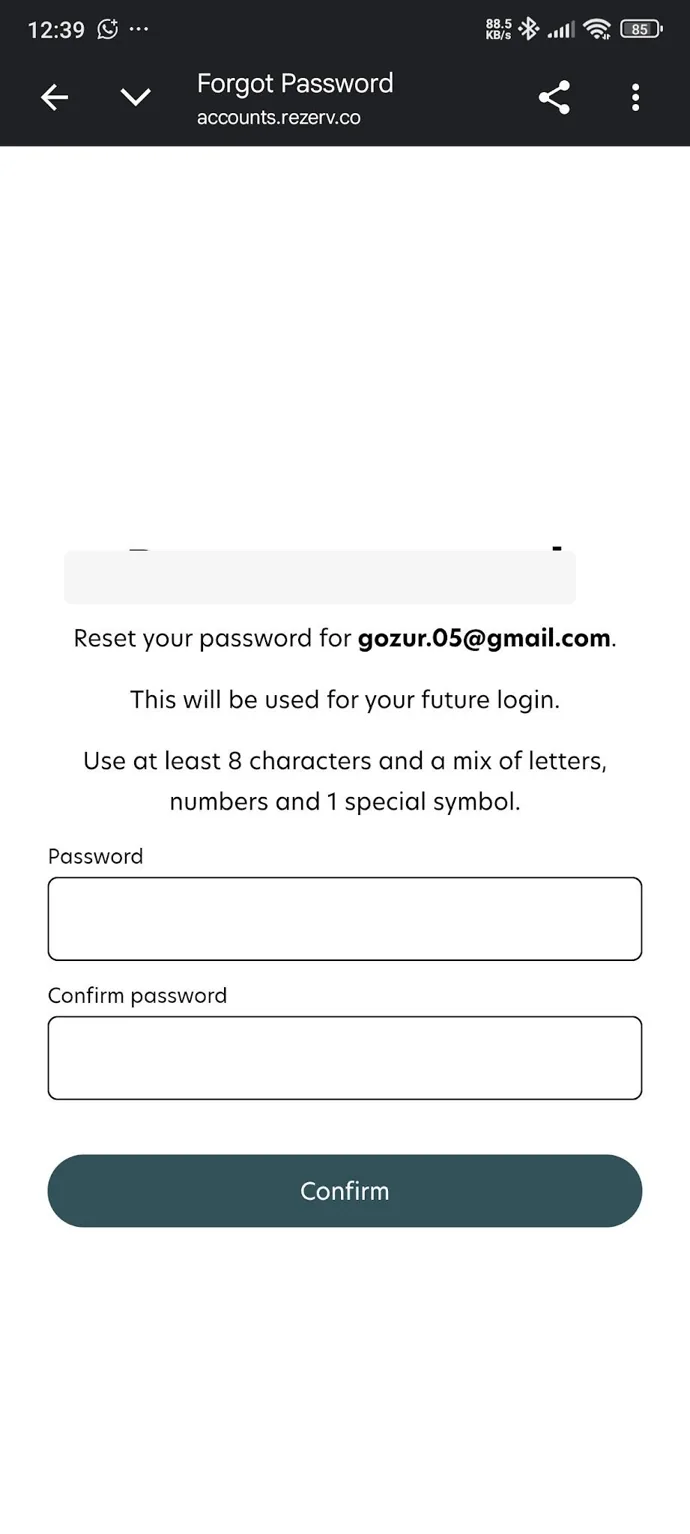
Set a new password
Follow the reset link, then return to Rezerv and log in.
Your eligible entitlements will be migrated under the approved conversion rules. Check balances, validity and package details in Account; contact Front Desk if anything looks incorrect.
Find it. Choose it. Book it.
Filter by studio, instructor or category. Open a class to check its details and which package or membership can be used.
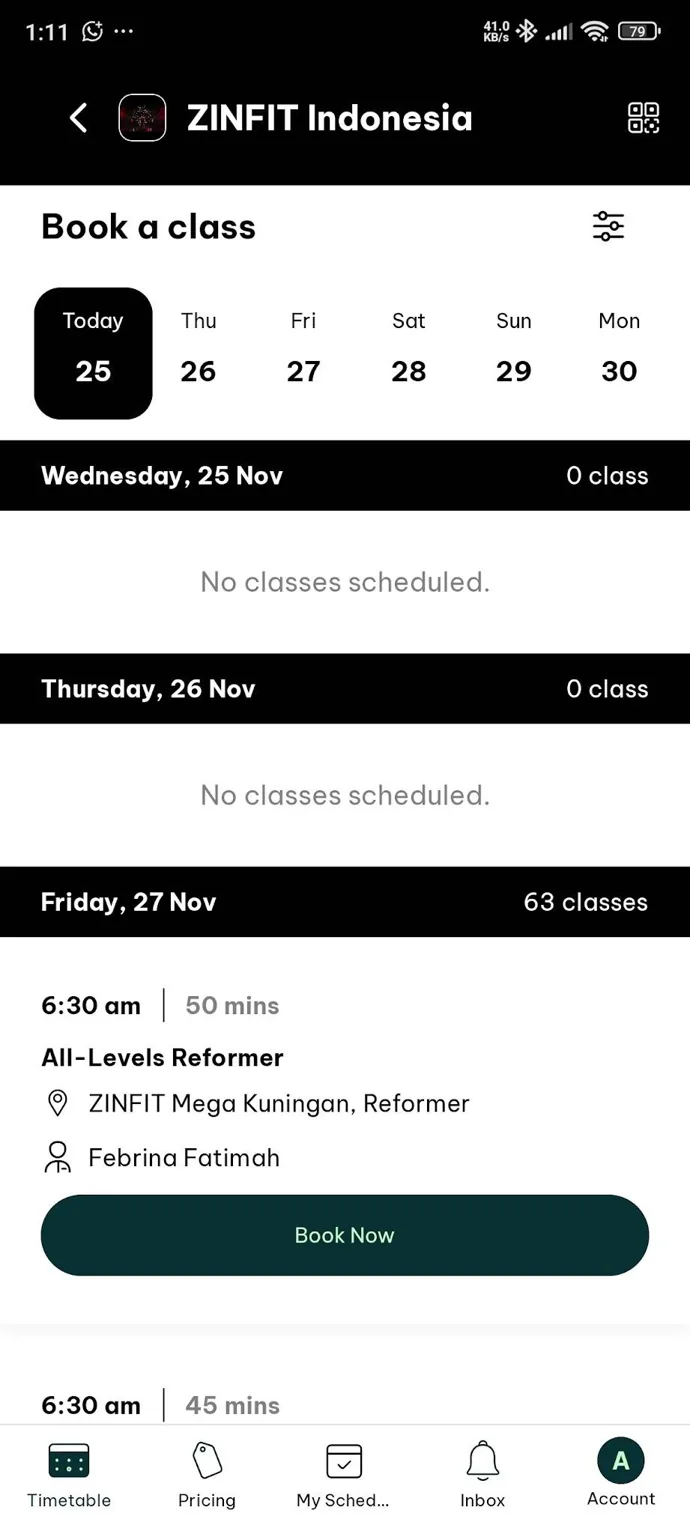
Browse classes
See available days, times and formats.
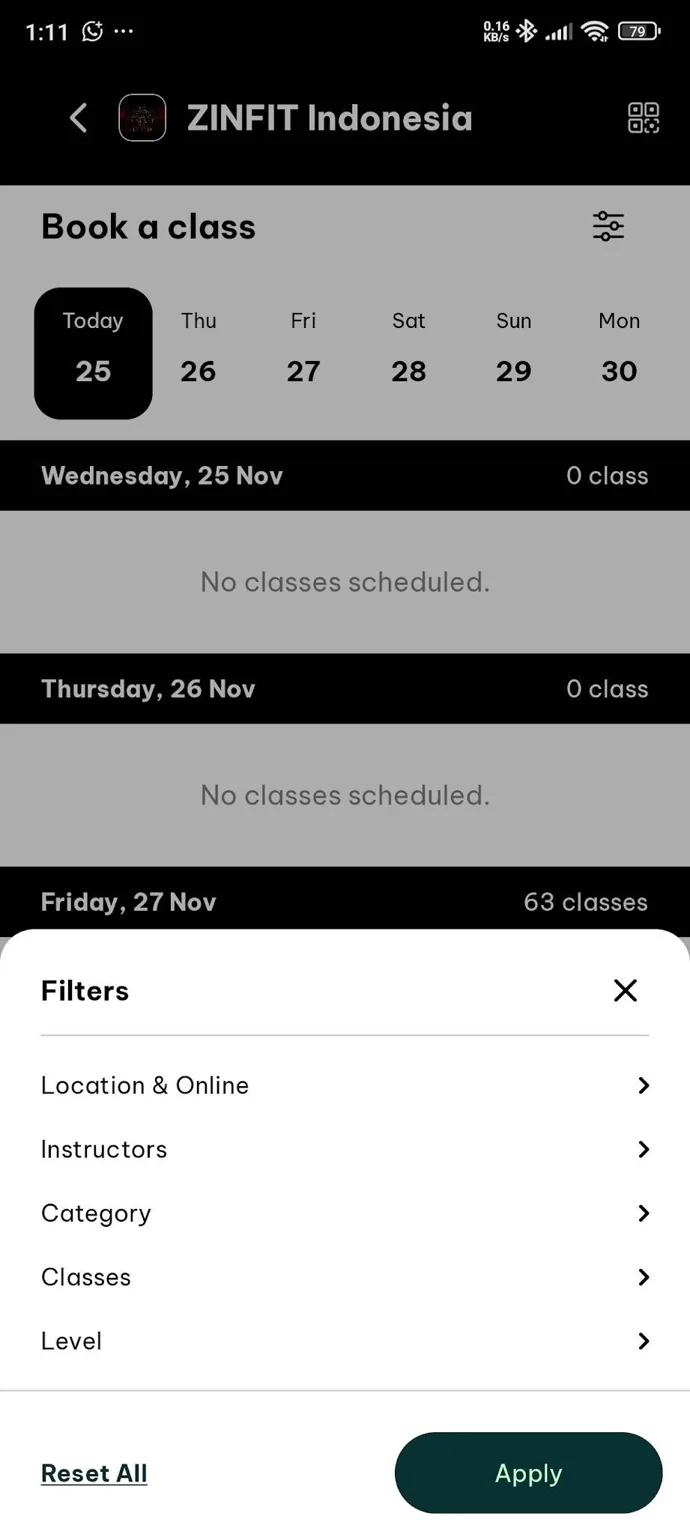
Use filters
Narrow the results by location, instructor or class type.
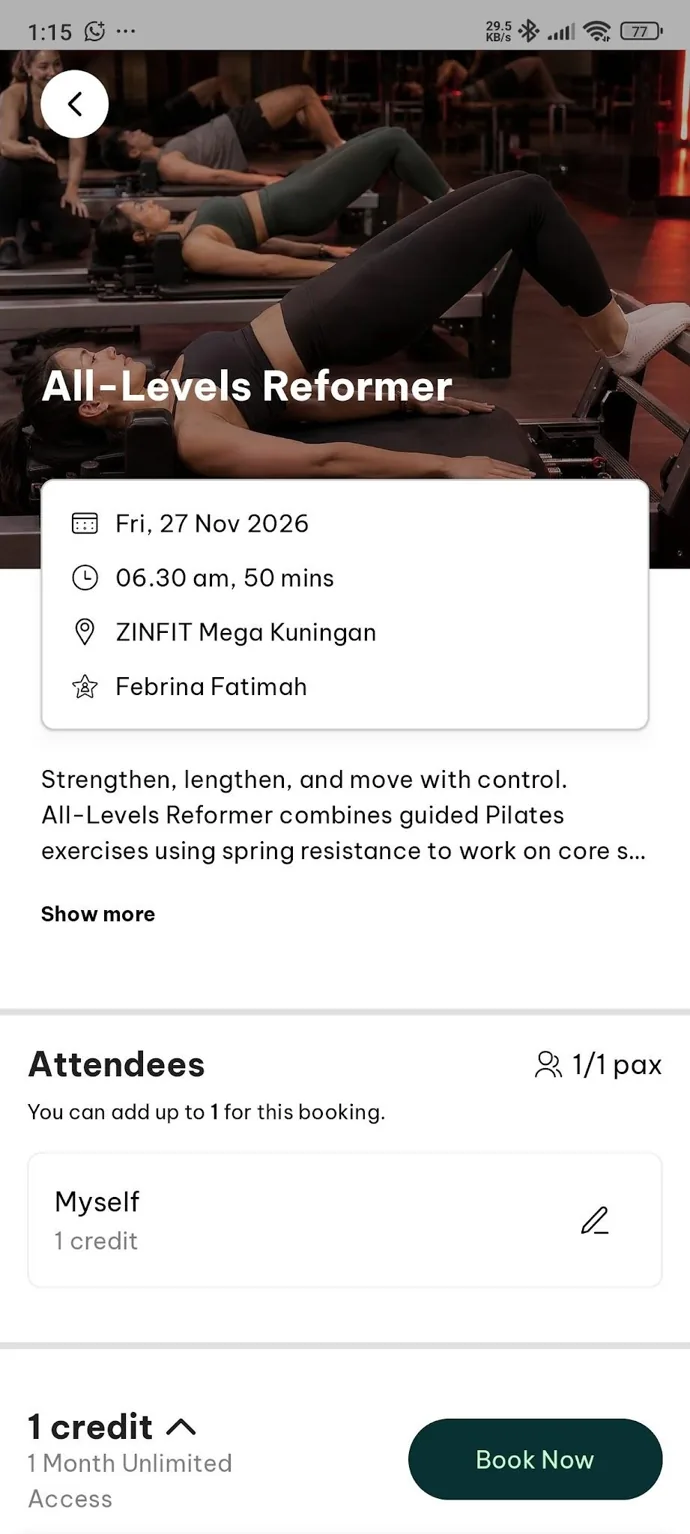
Review class details
Check location, duration, things to bring and the credit requirement.
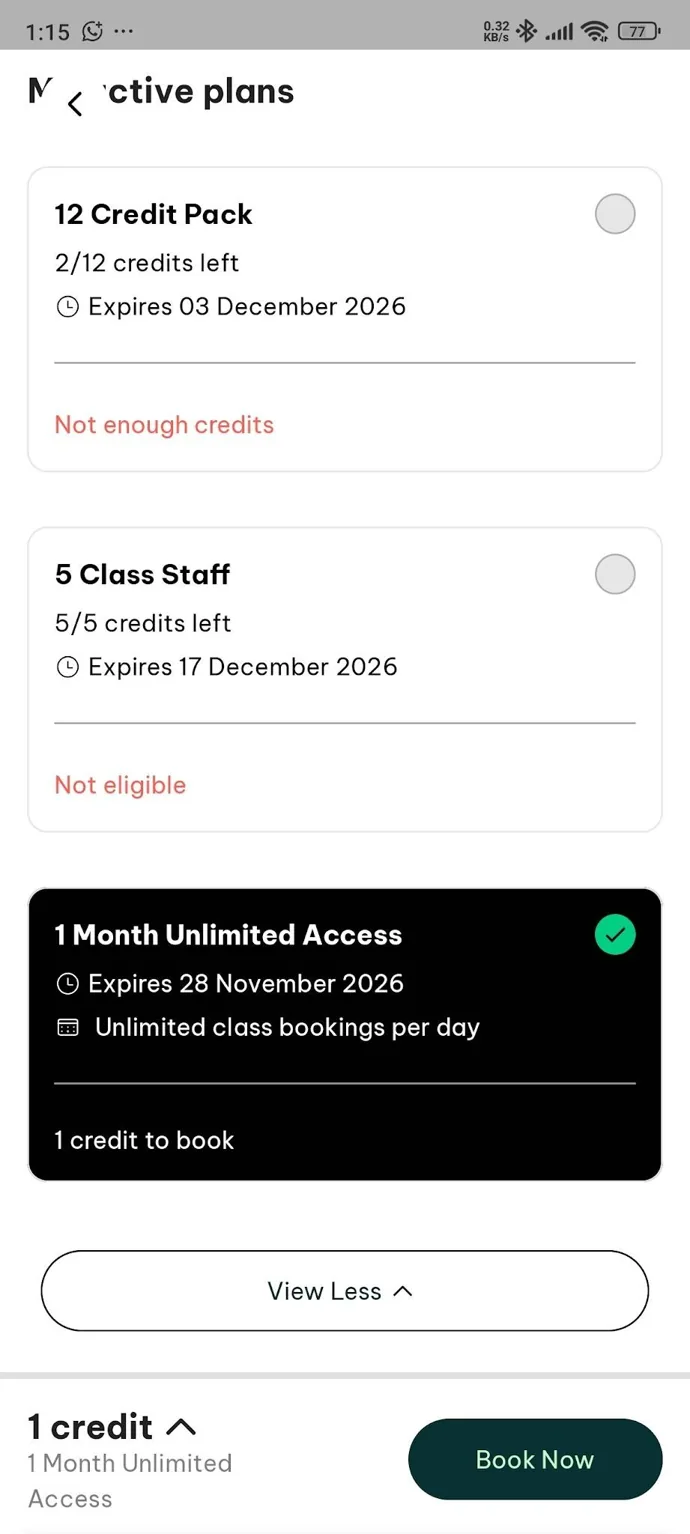
Choose your package
Select an eligible credit pack or Unlimited plan, then confirm the booking.
One credit system.
More ways to move.
Universal Credits give you one balance for eligible class formats. Different classes can require different amounts, so one credit does not automatically mean one class.
Buy a credit pack
Your pack includes a number of credits. Always check its total price, per-credit value, validity and conditions.
Use across formats
Use the same eligible balance for different class formats, based on the credits shown on each class.
Credits are deducted
When you book with a credit pack, the required credits are deducted. Check your balance before the next booking.
EXAMPLE from the screenshots: 12 credits can be used for 3 ZYCLE Rides (4 each), or 2 Reformer classes (6 each). You can also mix formats when you have enough balance.
Try your class mix
Example based on the tutorial screenshots: a 12-credit balance, ZYCLE Ride using 4 and Reformer using 6. Actual requirements are shown in the live app.
This is a learning example, not an approved rate card. Check each class’s live credit requirement.
If your remaining credits are lower than the class requirement, choose another eligible package or purchase more credits.
Flexibility in every pack.
Choose a pack that matches your routine. Larger packs may offer a different effective price per credit. Validity and sharing options depend on the specific plan.
Check Pricing → Packages in the app
Unlimited stays Unlimited.
Unlimited is a membership entitlement, not a finite credit wallet. Eligible classes, studios, booking limits and validity follow your specific membership terms.
Check Pricing → Memberships in the app
Open Pricing in Rezerv, choose a pack and review the total price, credits, validity and restrictions before checkout. Screenshots may reflect an earlier test or draft price.
Packages, without the guesswork.
Browse packages in Pricing, or open the package options from a class if you need one. Always review eligibility and expiry before checkout.
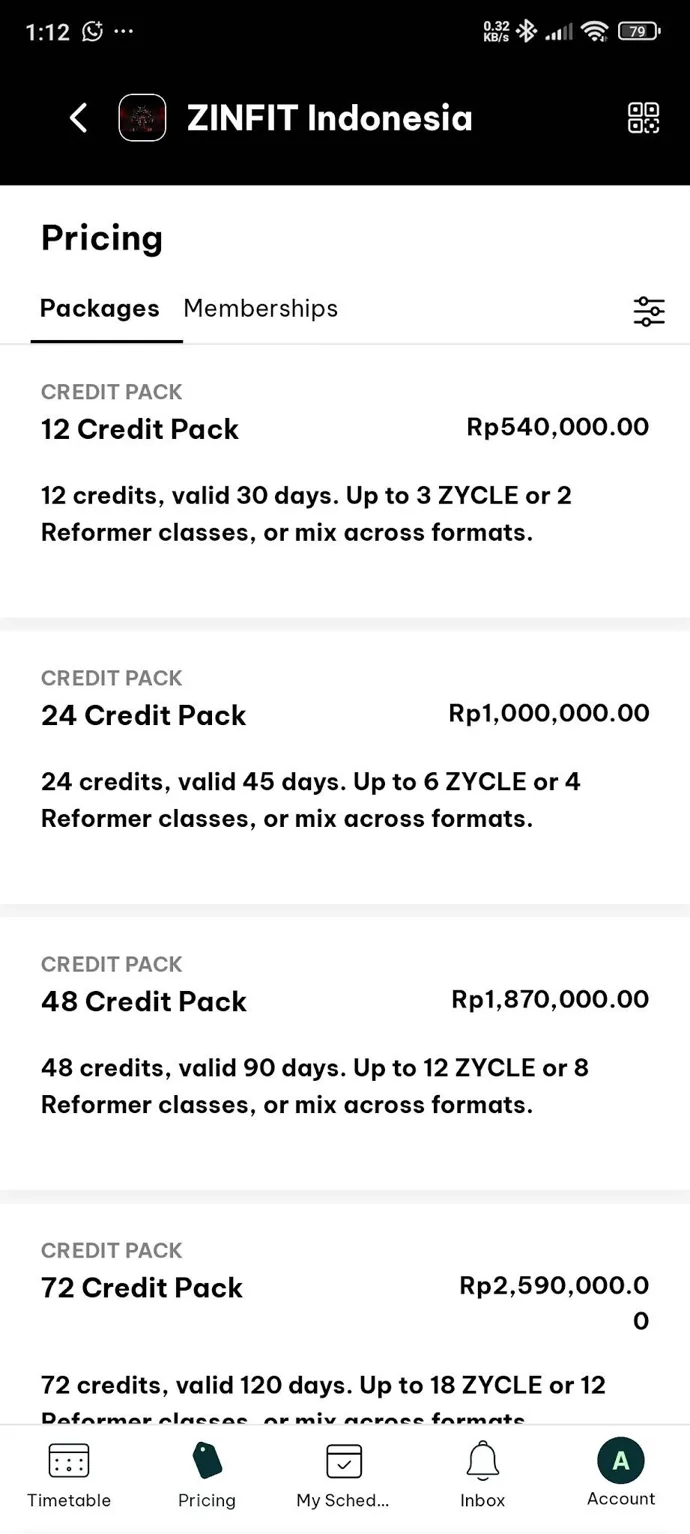
Compare packages
Compare credit packs and eligible Unlimited memberships.
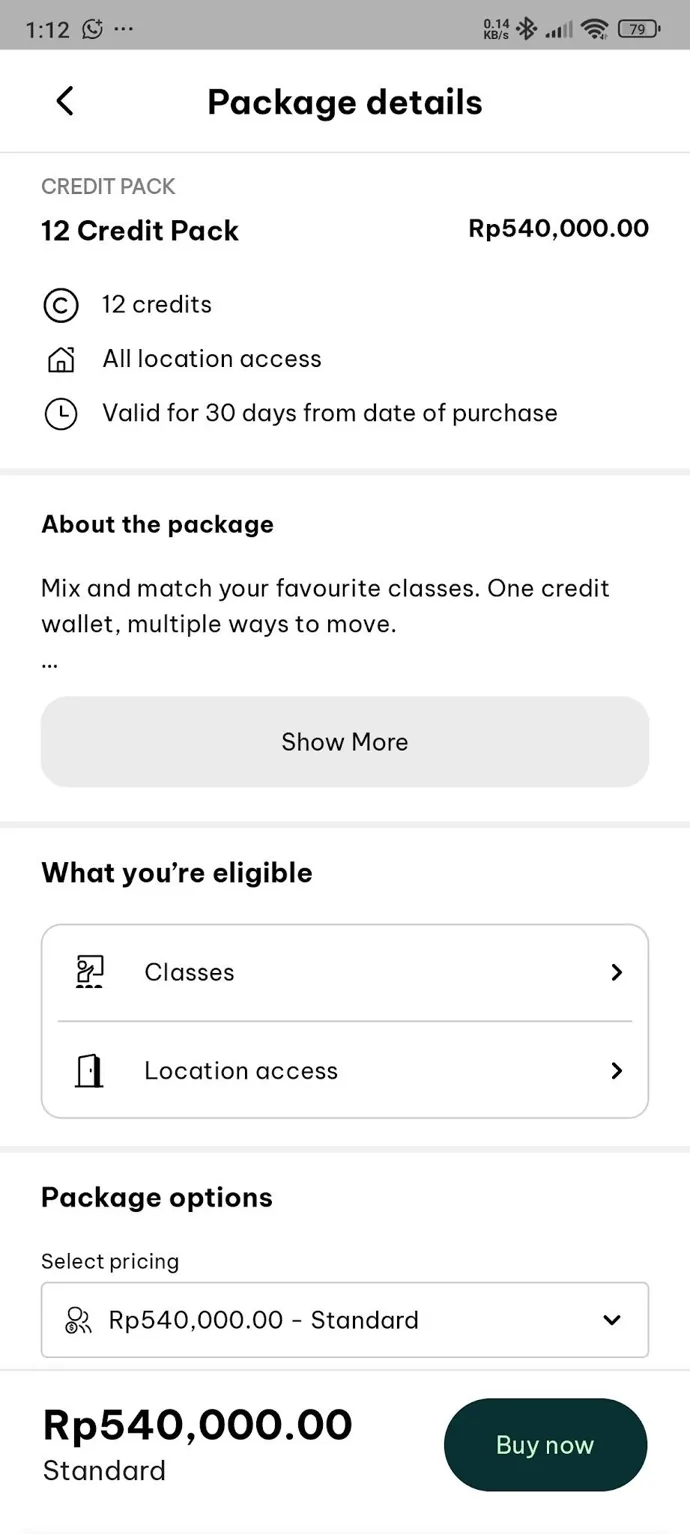
Check the details
Review included credits, supported classes and validity.
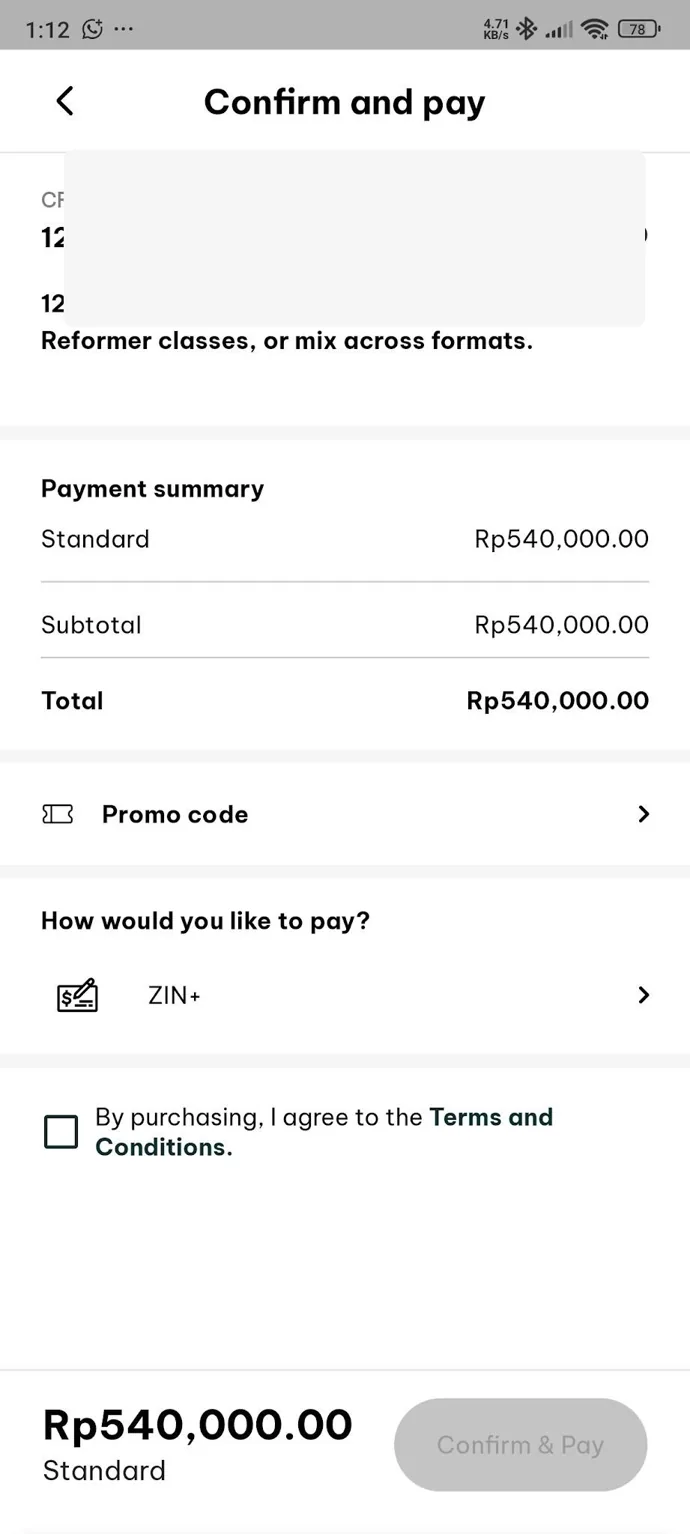
Confirm and pay
Verify the final total and available payment method before purchasing.
Keep your next move on track.
Track upcoming classes, booking confirmations and package details directly from Rezerv.
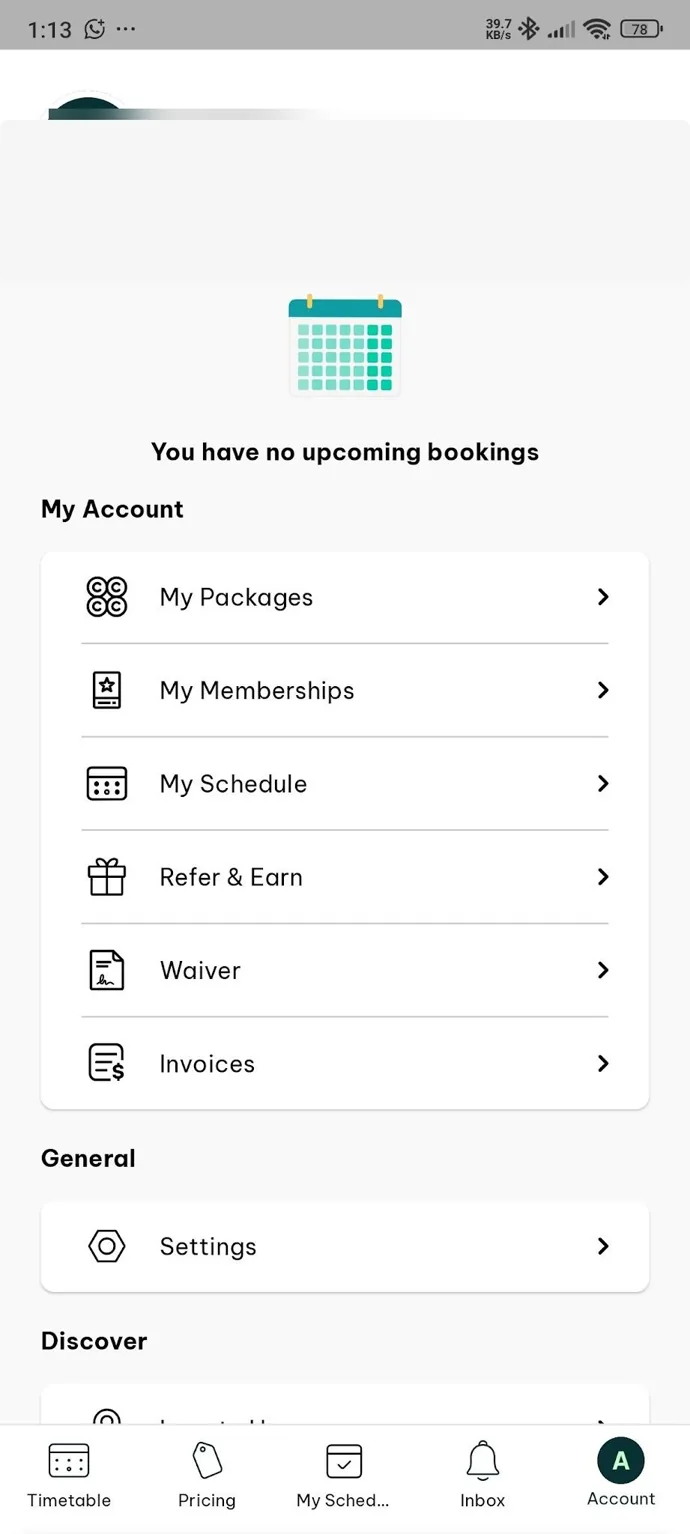
Packages and account
Find My Packages, My Memberships and account settings.
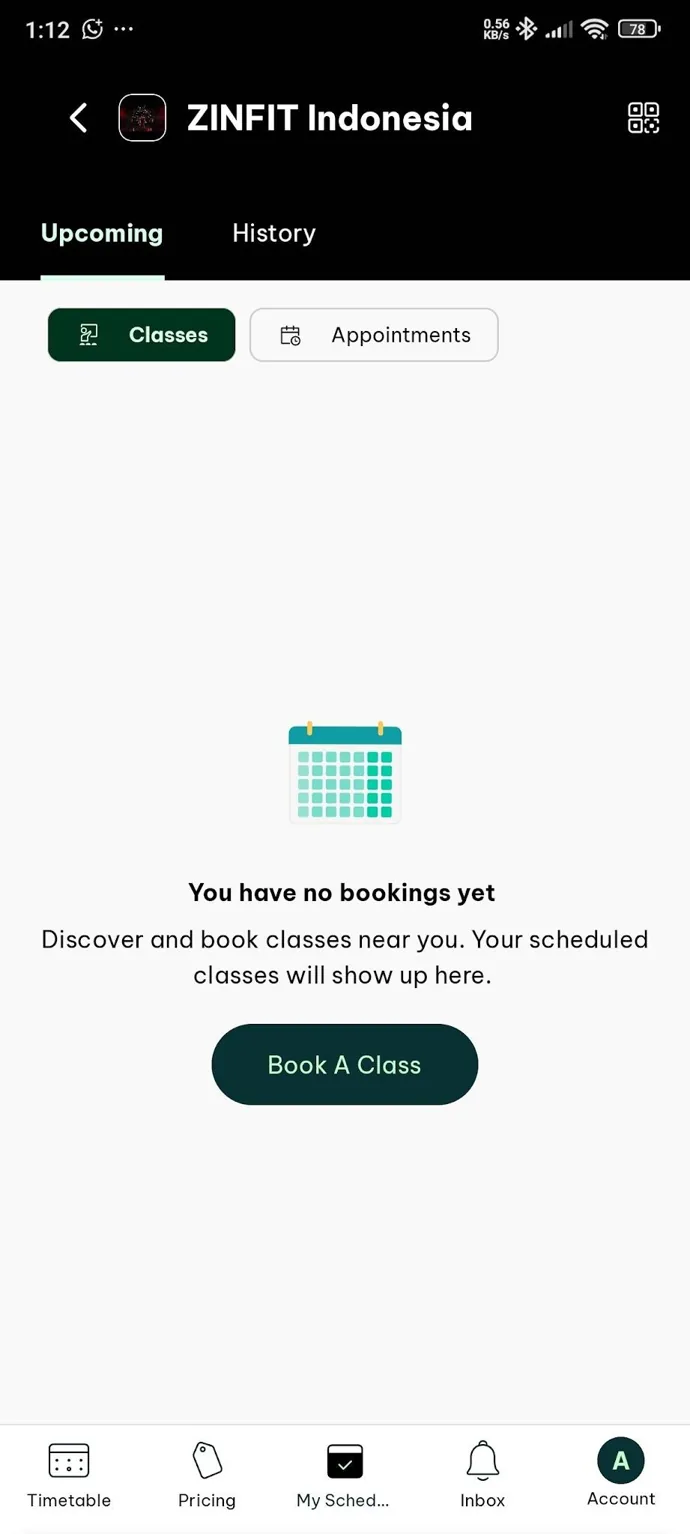
View your bookings
Verify that your booked class appears under Upcoming.
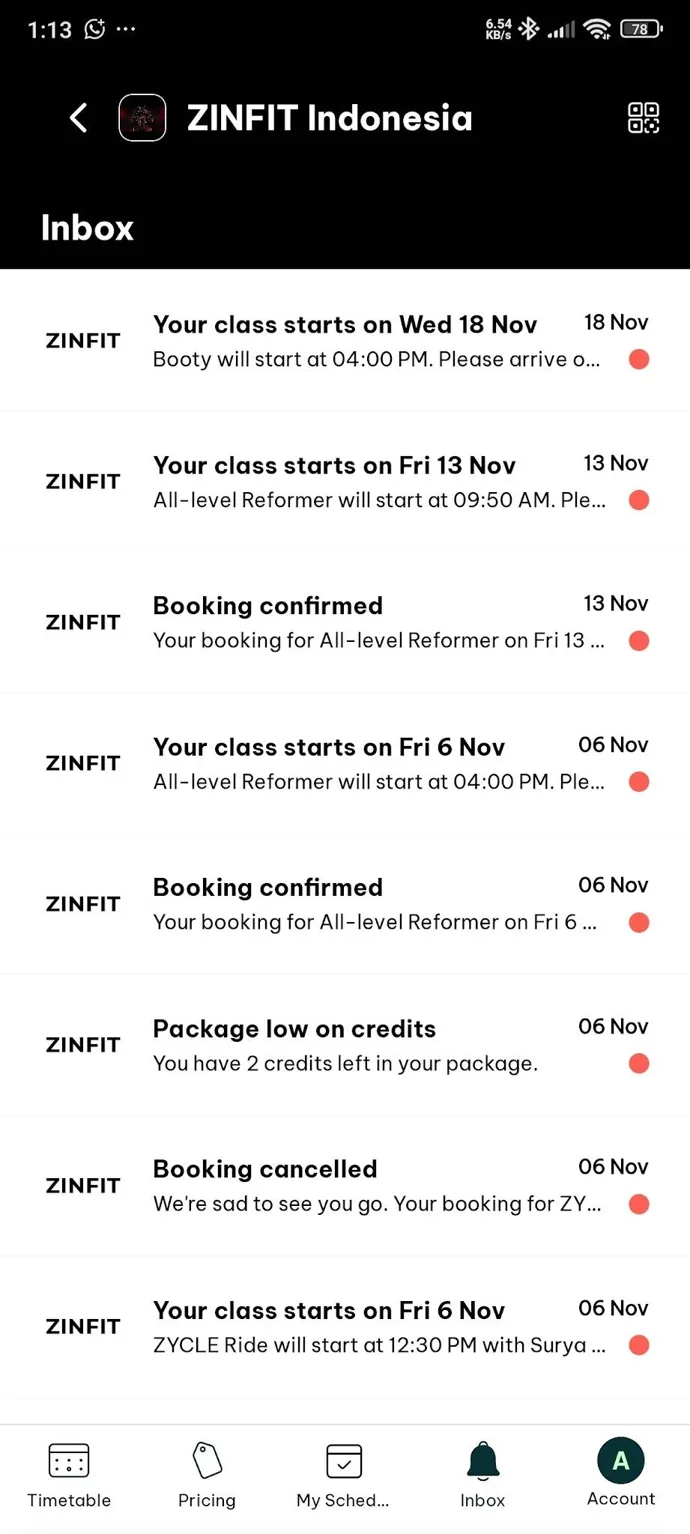
Stay updated
Check confirmations, reminders and schedule updates.
A few things worth knowing.
Do I need to create a new account?
If you are a migrated Glofox member, use your registered email and follow the login instructions sent to you. Avoid creating a second account with a different email.
Why do I need to Add Business?
ZINFIT is temporarily using the shared Rezerv app. Find ZINFIT Indonesia and tap Add This Business. This is normally a one-time setup.
Will I lose my existing credits?
Existing credits and entitlements are being migrated under the approved conversion policy. The number of new credits is not necessarily 1:1 with the old system. Check your balance and validity; contact Front Desk about discrepancies.
Does one credit equal one class?
Not necessarily. Credits can be used across eligible formats, but different classes require different numbers of credits. Check each class’s details.
What happens to my Unlimited plan?
Unlimited follows your membership’s eligible classes, booking limits and validity. It is not automatically converted into a finite credit pack.
Why can’t I select my package?
It may not be eligible for that class or location, may be expired, or may have insufficient credits. Check your package terms or ask Front Desk if something looks wrong.
When can I use ClassPass again?
ClassPass uses a separate integration and may have a different activation schedule. Check the migration update page or ClassPass for the latest availability.
When will the ZINFIT branded app be ready?
The dedicated ZINFIT app will be announced when it is available on the App Store and Google Play. In the meantime, use the shared Rezerv app.
Your next move starts here.
Download Rezerv, follow ZINFIT Indonesia, and find your next class. For any migration updates, visit our dedicated information page.